


Digital ceramic printing means decorating a ceramic or glass surface by printing the design on special paper and transferring it to the product, then firing so the colour becomes part of the surface. Fired colour is embedded in the glaze: it does not scratch, it survives weather and temperature change, and decorated tableware is dishwasher safe and food safe with INEQS colours.
Watch the process
1. Print
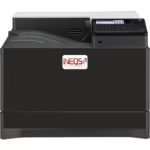
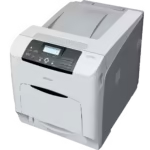
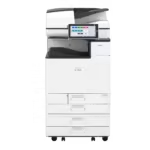
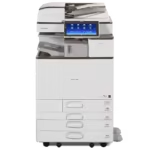
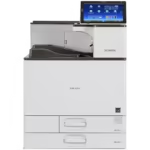
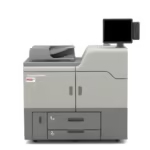
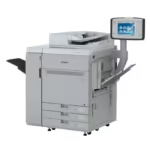
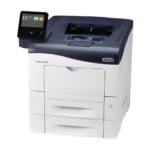
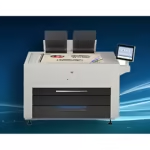
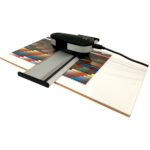
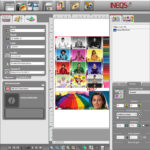
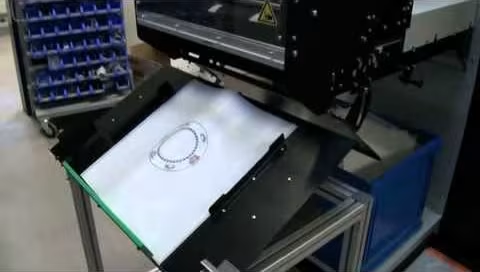
You have two routes. Industrial inkjet printers print ceramic ink straight onto the product. For everything else there are waterslide decals: the design is printed on waterslide decal paper with a digital laser printer converted to run INEQS ceramic toner. Any design software works, and scanned originals can be used too.
2. Coat
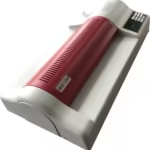
The printed decal needs a covercoat. It transfers the image from paper to surface, and it decides how the colour looks after firing. Coating can be applied as lamination paper, sprayed, or screen printed.
- Fluxed toner sets, lacquer only: no visible edges after firing, less shine
- Fluxed toner sets, fluxed coating: shiny finish, possible visible edge (the sticker effect)
- Unfluxed toner sets: always need a fluxed coating, so always shiny, possible visible edge
To avoid the sticker effect, cover the whole decoration area with the fluxed material, or align the decal with an existing edge of the ware.
3. Apply
Cut the decal to size and soak it in water until it separates from the paper. Slide it onto the surface, position it, then push out all water and air from the centre outwards with a squeegee. Trapped water causes firing defects; too much pressure tears the decal. A few tries and it becomes routine.
4. Fire
Dry the piece for about an hour at 40 °C to remove residual water, then fire. Unfluxed sets fire at 1,000 to 1,200 °C on glazed ware; fluxed sets at 540 to 850 °C on glass, enamel and onglaze. After cooling, the colour is scratch resistant, dishwasher safe and weatherproof.
Three ways to print ceramic: toner decals, ceramic inkjet, screen printing
Digital ceramic printing covers two distinct technologies, and they get confused with each other and with traditional screen printing. All three put inorganic pigment and glass frit onto a ceramic or glass surface and fire it, so the result is fused into the glaze rather than sitting on it. They differ in how the colour gets there.
| Route | How it works | Strengths | Typical use |
|---|---|---|---|
| Ceramic toner decal (laser) | Dry ceramic toner printed on decal paper by a converted laser printer, transferred by water, fired | Any shape, any substrate; 1,200 dpi detail; from one piece; printer from A4 to A0 | Tile, porcelain, tableware, memorials, enamel signs, glass objects, studios |
| Ceramic inkjet (direct to glass or tile) | Ceramic ink with frit and inorganic pigments jetted directly onto flat glass or tile, dried, then fired or tempered | Large flat panels at line speed; no decal step; 360 to 720 dpi | Architectural glass, facades, printed glass partitions, tile factories |
| Screen printing | Ceramic colour pushed through a stencil, one screen per colour, onto decal paper or directly onto the piece | Lowest cost per piece at very high volume; spot colours, gold, platinum | Long runs of identical tableware and tiles |
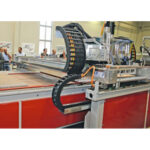
INEQS builds equipment for the first two: converted laser printers with its own ceramic toner for decals, and industrial ceramic inkjet printers for direct printing on tile and flat ceramic. Screen printing machines are available from INEQS for customers who combine digital decals with metallic screen-printed elements.
Ceramic ink and toner versus UV ink
The question we hear most from glass manufacturers and sign makers is whether UV printing on glass is the same thing. It is not. UV ink is an organic polymer cured by light; it sits on the surface, scratches, and fades outdoors. Ceramic ink and ceramic toner carry inorganic pigments and glass frit; in the kiln, or in the tempering furnace for glass, the frit melts and the pigment becomes part of the glass or glaze. The print is then as durable as the substrate: abrasion resistant, chemical resistant, UV stable for exterior applications, dishwasher safe on tableware. The trade-off is colour: a fired ceramic palette is narrower than a UV or offset palette, especially in reds and greens, which is why INEQS formulates red toner sets and supplies ICC profiles for colour matching to the fired result rather than the screen.
Printing on glass: tempering and the decal route
Digital ceramic printing on glass is usually done by inkjet on flat glass before tempering: the ink dries, the panel goes through the tempering process at around 600 to 700 °C, and the print fuses into the glass surface at the same time. That suits large architectural glass panels. For glass objects, bottles, curved panels, laboratory glass and small runs, the decal route with INEQS glass toner does the same fusing at 550 to 700 °C in a kiln, on shapes an inkjet head cannot reach.
Resolution, colour and file preparation
Ceramic toner decals print at 1,200 dpi, which holds fine text, halftones and photographic skin tones; industrial ceramic inkjet typically runs 360 to 720 dpi, plenty for panels viewed at distance. Both use CMYK plus, where needed, a ceramic red or single colours. Files should be 300 dpi at final size with an embedded profile; see preparing files for ceramic printing. Colour matching for brand colours is done with ICC profiles built for the specific printer, toner set, paper and firing curve, because the same file fires differently on a different glaze.
Equipment you need
- A converted ceramic decal printer (or the INEQS print service if you have no printer yet)
- INEQS ceramic toner in the family that matches your substrate and firing range
- Decal paper and covercoat, laminate, lacquer or spray, all made by INEQS
- A programmable kiln that reaches your set’s range, ventilated to about 420 °C during burnout
- RIP software and ICC profiles for colour management
Related: underglaze, in-glaze or onglaze transfers, and which one your ware can take.