
Resolution and format
Work at 300 dpi at final size. Send PDF, PSD, TIFF, JPG or PNG.
Whenever possible, prepare the artwork in CMYK, as this gives the most realistic representation of the colours that can actually be reproduced in ceramic printing. RGB is designed for monitors and can contain colours that are far outside the ceramic colour gamut.
Embed a colour profile in the file. FOGRA39 is preferred for CMYK artwork. sRGB or Adobe RGB can also be used if the original file is only available in RGB. Avoid unprofiled files, as the printer otherwise has no reliable reference for the intended colours.
Printable areas
Keep a 5 mm margin around every decal; the printer cannot fuse toner right to the paper edge.
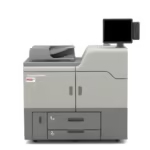
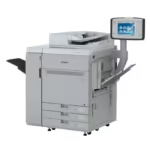
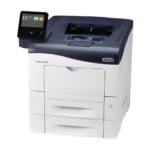
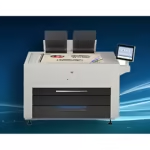
| Paper | Sheet size | Maximum printable area |
|---|---|---|
| A4 | 297 x 210 mm | 287 x 200 mm |
| A3 | 420 x 297 mm | 410 x 287 mm |
| A3+ | 457 x 305 mm | 447 x 295 mm |
| SRA3 | 480 x 320 mm | 470 x 305 mm |
| A0 | 914 x 1,100 mm | 900 x 1,000 mm |
Colour
- White areas in the design remain transparent, so the final white comes from the glaze or the ceramic substrate itself.
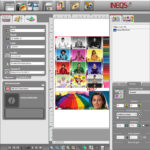
- Ceramic gamuts are not offset gamuts. Reds, oranges and some greens shift on firing; INEQS ICC profiles for your printer and paper preview the fired result on screen.
- Avoid very fine tints below about 5%; they can fire out completely.
Layout
- Place several images on a sheet to make the best use of the available print area; one A4 sheet is the minimum order for the print service
- Add cut marks outside the image if you cut by hand
- Mirror text only if the decal is applied face-down on glass; standard waterslide decals are printed reading correctly
Checklist before you send a file
- Image resolution is 300 dpi at the final printed size, not enlarged from a small web image
- Colour mode and profile: Use CMYK with FOGRA39 whenever possible. RGB files should include sRGB or Adobe RGB.
- Every decal has a 5 mm margin to the sheet edge
- Text is converted to outlines, or fonts are embedded in the PDF
- Pale tints are above about 5%, or you accept that they will fire out
- Text is mirrored only if the decal goes face down on glass
Common file problems
Low resolution. An image taken from a website or a messaging app rarely holds up at print size. Ask for the original file or a scan of the original photograph.
No embedded profile. Without a profile the RIP has to guess what the colours mean, and the fired result drifts. Export with the profile embedded.
Colours that cannot be fired. Bright screen greens, oranges and some reds sit outside the ceramic gamut. An ICC profile for your printer and paper shows the fired result on screen, so you can adjust before printing.
Photographs and portraits
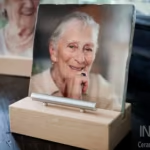
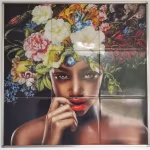
Portraits are judged on skin tones and eyes. Send the highest resolution you have, retouch before sending rather than after, and use a red toner set when the portrait needs warm, saturated tones. The INEQS print service can retouch in Photoshop if needed, but the best results start with a good original.