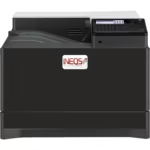








Ceramic toner and developer are sensitive to their environment in ways office toner is not. Density drift, background fog and short developer life almost always trace back to the room.
- Temperature: 20 to 25°C. Avoid rooms with significant temperature variation.
- Humidity: Keep relative humidity in the 40–60% range. Air that’s too dry encourages static and scattered toner, while air that’s too damp makes toner clump and leave marks on the paper.
- Air conditioning Production rooms should be air conditioned. Site the printer out of direct sunlight and away from heaters and kiln exhaust.
- Paper storage: Store decal paper sealed and in the same room as the printer, so it adjusts to the conditions
- No sudden changes: When moving a printer from cold to warm do not print right away. Let it settle for a few hours first.
Inform us if your room can’t meet these conditions.
Setting up a printer room
- Put a thermometer and hygrometer next to the printer and check them daily, or use a logger that records overnight
- Use air conditioning, a humidifier or a dehumidifier to hold 20 to 25 °C and 40 to 60% relative humidity all year
- Keep the kiln in a different room; its heat and exhaust affect both toner and paper
- Store decal paper, toner and developer in the printer room, sealed until use
- Keep the printer out of draughts from doors and windows
Signs the room conditions are causing the problems
Many problem are blamed on the printer or the toner . Check the environment condition first when you recognise:
- A drop in print density after switching on the heating in autumn or winter
- Background fog or toner scatter in areas that should be clean
- Toner clumping, or decal paper curling and marking in the paper path
- Colour variation between morning and afternoon runs
Moving a new printer
After delivery or a move, let the printer stand in the room for several hours before printing. This prevents condensation and developer fogging from sudden temperature changes. If a fault persists once conditions are stable, contact the INEQS technical service; most problems can be solved within one working day.